What if anyone could move through VR inside Microsoft Teams with ease, no gaming experience required
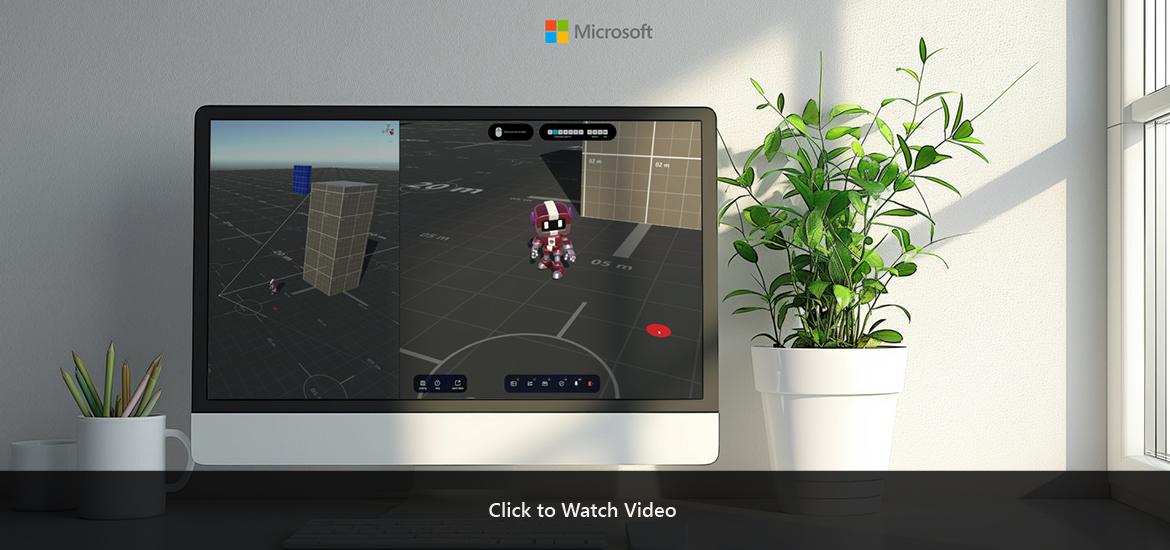
Problem: Designing locomotion for virtual environments is one of the most complex and consequential challenges in immersive computing. In VR and mixed reality, movement must feel effortless, intuitive, and physically sustainable. However, most desktop based locomotion models borrow from gaming paradigms that break presence, overwhelm non gamers, or trigger motion sickness. Users struggle with inconsistent POV shifts, cognitive overload from multi input interactions, and interfaces that obstruct navigation or create unintended movement. Our research showed clear behavioral patterns. People need third person awareness in large environments, first person clarity for collaboration and whiteboard work, and smooth, predictable transitions to maintain comfort. They also need explicit navigation cues, obstacle aware cameras, and a locomotion model aligned with human biomechanics. Without a unified, human centered approach, VR collaboration becomes tiring, inefficient, and ultimately inaccessible to many users.
Solution: I led the design of a next generation locomotion framework for Teams VR that reimagines how people move, orient, and collaborate inside immersive environments without relying on gaming literacy. Through extensive prototyping, we evaluated point and click navigation, WASD and arrow key rotation, smooth locomotion, and teleportation across both first person and third person POVs. This work resulted in a hybrid, context aware locomotion system that adapts to user intent and environment scale. Third person camera views provide spatial awareness and reduce motion sickness in large worlds, while first person views activate automatically for precision tasks like whiteboarding or direct conversation. Ergonomic 45 degree rotations, smooth teleport transitions, and simplified single input models removed friction for non gamers while preserving full control for advanced users. Navigation areas were visually defined, menus were repositioned or collapsed during movement, and camera behavior was redesigned to avoid obstacles and maintain presence. The result is a locomotion model that feels natural, grounded, and universally approachable, bringing VR collaboration closer to the fluidity and predictability of the physical world. This framework became a foundational pillar for spatial productivity experiences and informed future design principles for immersive Teams integrations inside the Microsoft ecosystem.
CLIENT
Microsoft
PROJECT
Teams VR